


Wireless Carplay Screen for Car, 7" HD Touch and 49 similar items
Free Shipping
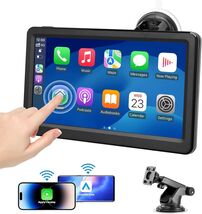
Wireless Carplay Screen for Car, 7" HD Touch Screen Portable Car Stereo
Share & earn! Sign in, share this or any listing, and you’ll get commission when it sells.
Learn more

View full item details »

Shipping options
Seller handling time is 2 business days Details
FREE in United States
Offer policy
OBO - Seller accepts offers on this item.
Details
Return policy
None: All purchases final
Purchase protection
Payment options
PayPal accepted
PayPal Credit accepted
Venmo accepted
PayPal, MasterCard, Visa, Discover, and American Express accepted
Maestro accepted
Amazon Pay accepted
Nuvei accepted
View full item details »
Shipping options
Seller handling time is 2 business days Details
FREE in United States
Offer policy
OBO - Seller accepts offers on this item.
Details
Return policy
None: All purchases final
Purchase protection
Payment options
PayPal accepted
PayPal Credit accepted
Venmo accepted
PayPal, MasterCard, Visa, Discover, and American Express accepted
Maestro accepted
Amazon Pay accepted
Nuvei accepted
Item traits
| Category: | |
|---|---|
| Quantity Available: |
Only one in stock, order soon |
| Condition: |
New |
| Brand: |
Unbranded/Generic |
| Model: |
does not apply |
| UPC: |
NA |
| MPN: |
CA701 |
| Compatible Devices: |
smartphone |
| Audio Output Mode: |
stereo |
| Surround Sound Channel Configuration: |
4 |
| Controller Type: |
android i os |
| Color: |
screen |
| Item model number: |
ca 701 |
| Product Dimensions: |
4 33 x 6 89 x 0 47 inches |
| Type: |
does not apply |
| Manufacturer: |
shenzhen jinnaibo electronic co ltd |
| Connector Type: |
usb type c |
| Unit Size: |
does not apply |
| Style: |
one bracket |
| Features: |
does not apply |
| Video encoding: |
mov |
| Country of Origin: |
does not apply |
| Item Weight: |
1 23 pounds |
| Connectivity Technology: |
bluetooth |
| Special Feature: |
android auto apple car play |
Listing details
| Price discount: |
10% off w/ $10.00 spent |
|---|---|
| Posted for sale: |
January 29 |
| Item number: |
1790564051 |
Item description
About this item
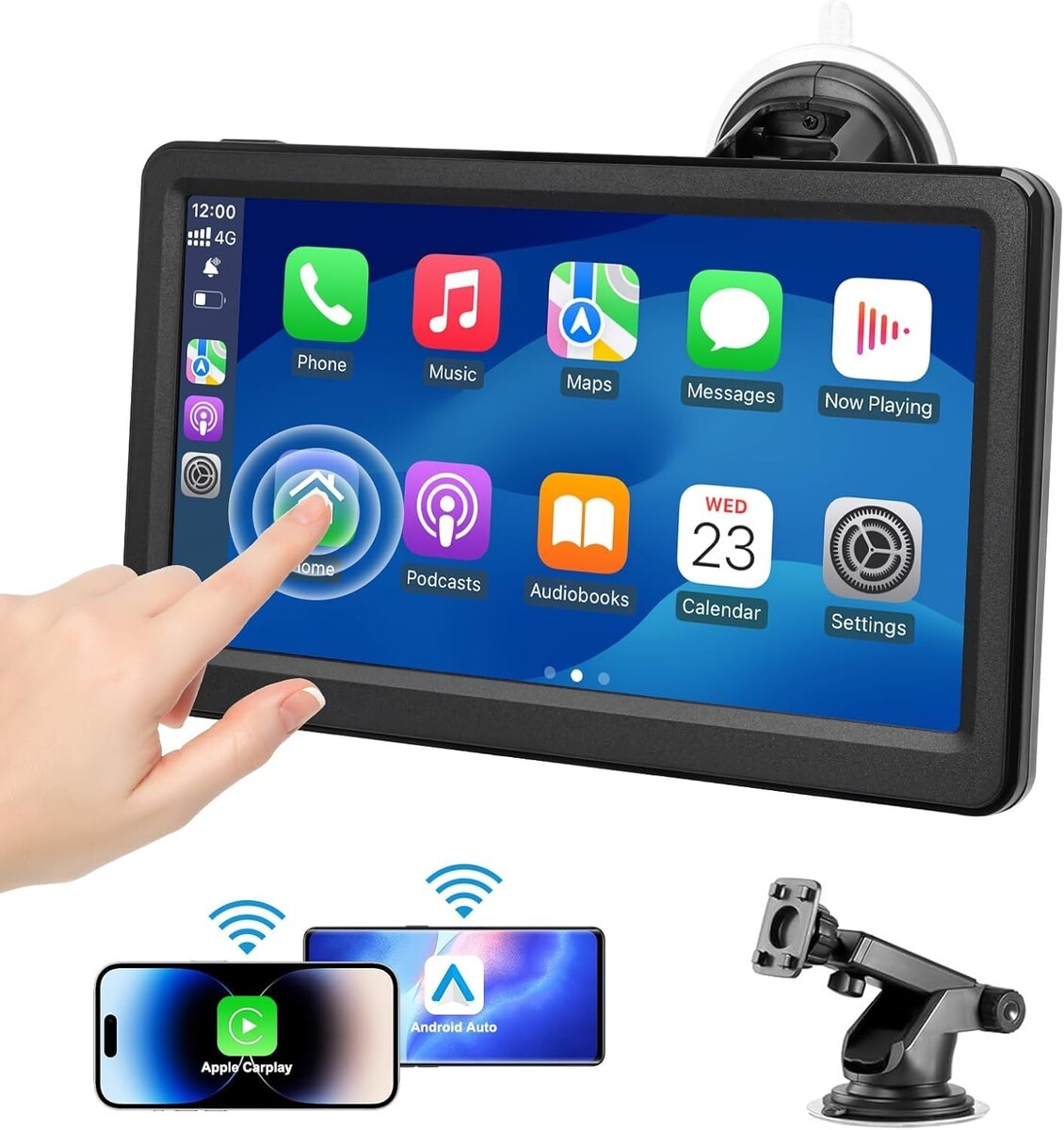
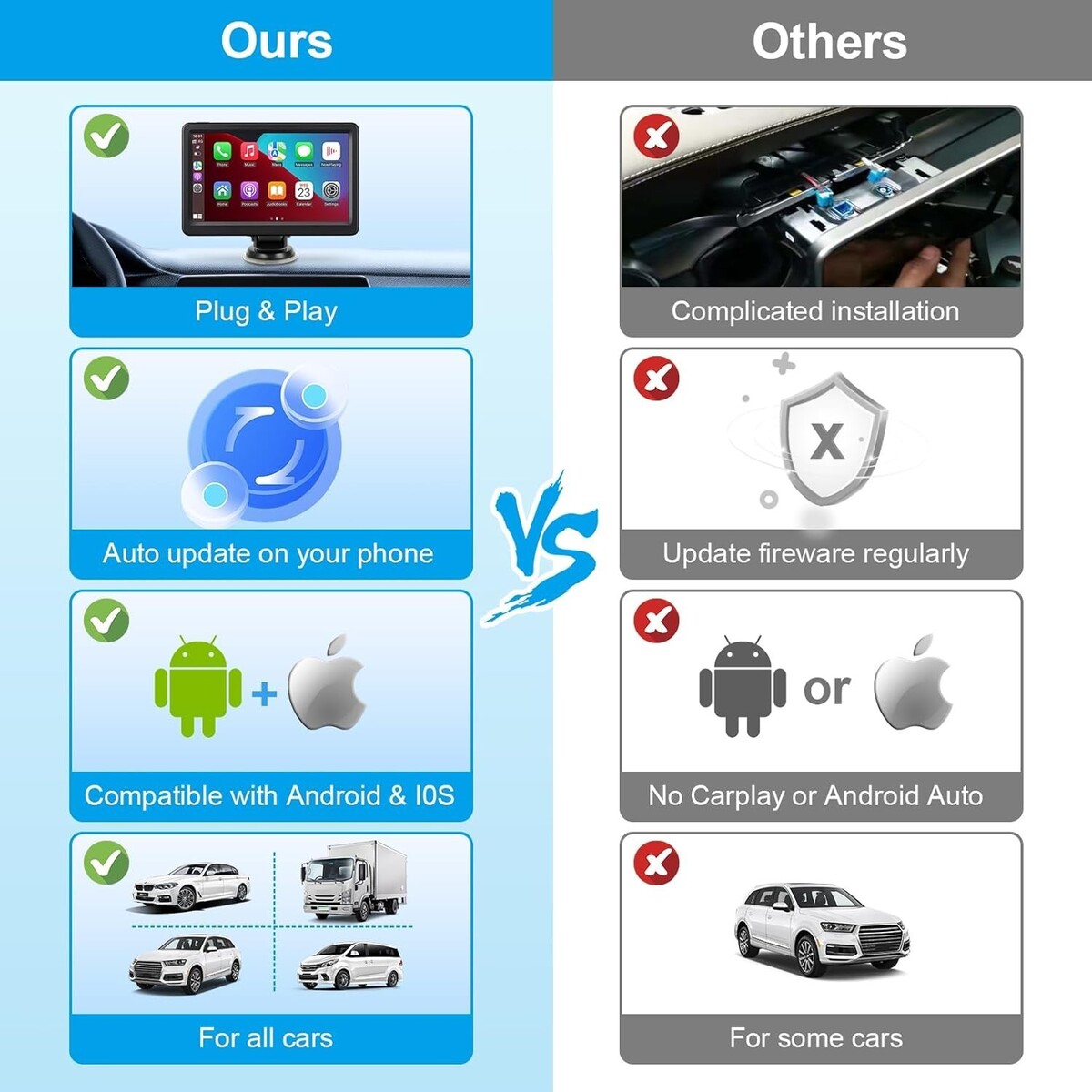
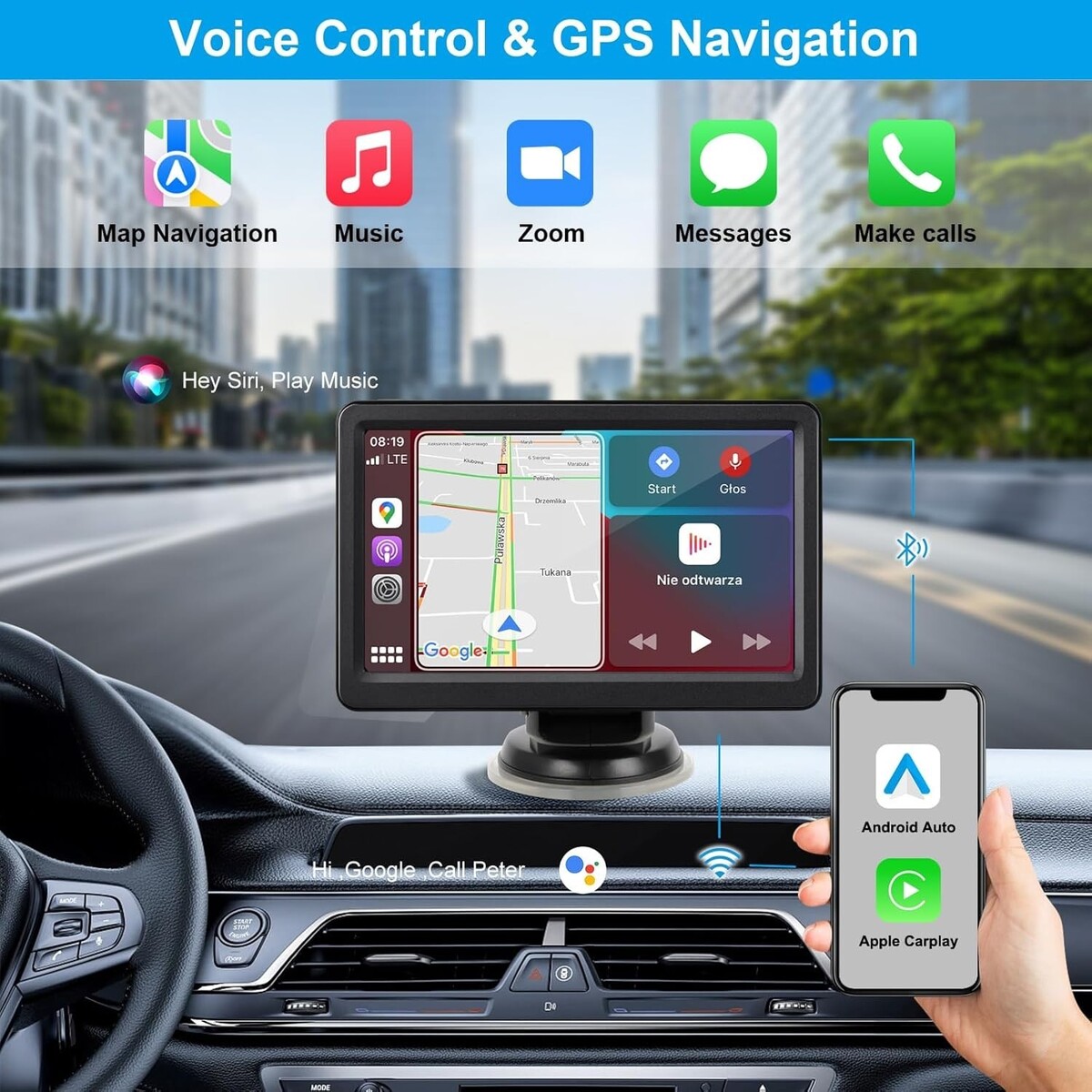
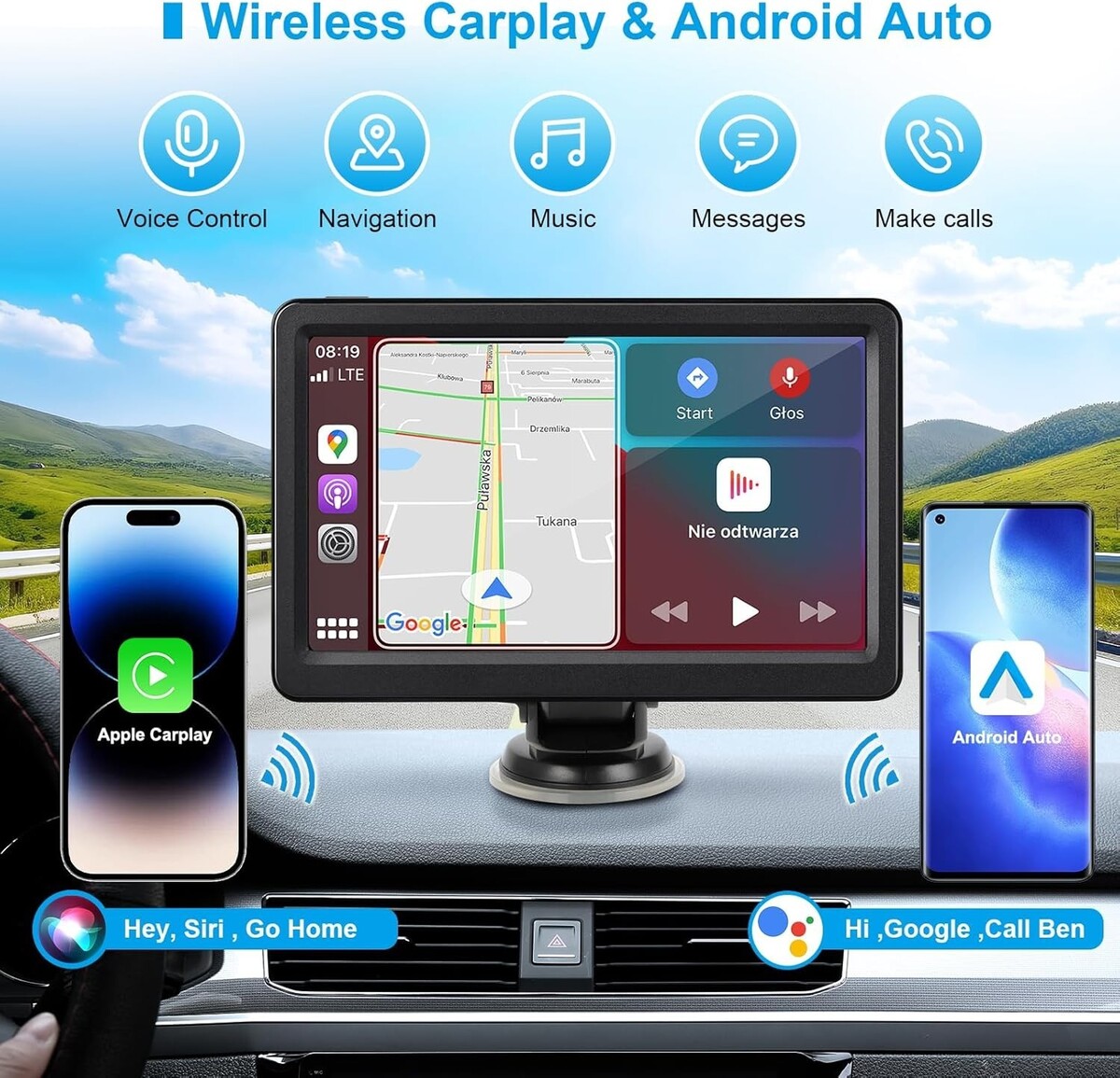
?Supports Carplay/Android Auto?: The carplay screen seamlessly connects to your smartphone via Bluetooth. You can access apps like music, maps, messages and calls directly on the portable car play screen. It can also be voice-controlled via Siri or Google Assistant, freeing up your hands to focus on driving
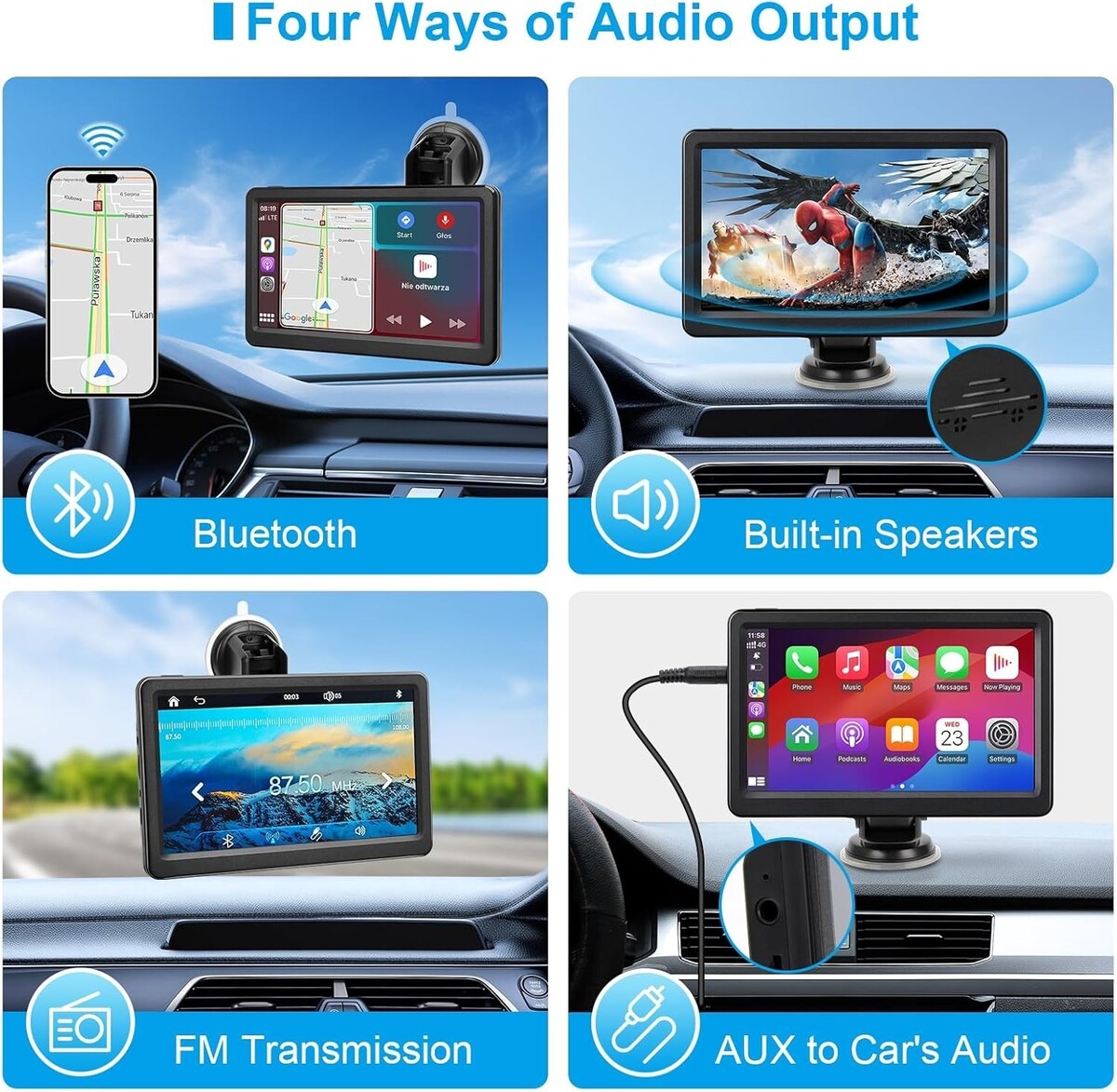
?Multiple Audio Output Modes?: car radio has built-in stereo speakers, Bluetooth, FM transmitter and AUX port. touch screen car stereo can be played through the product's built-in speakers or connected to the car stereo system via AUX or FM for hands-free calling
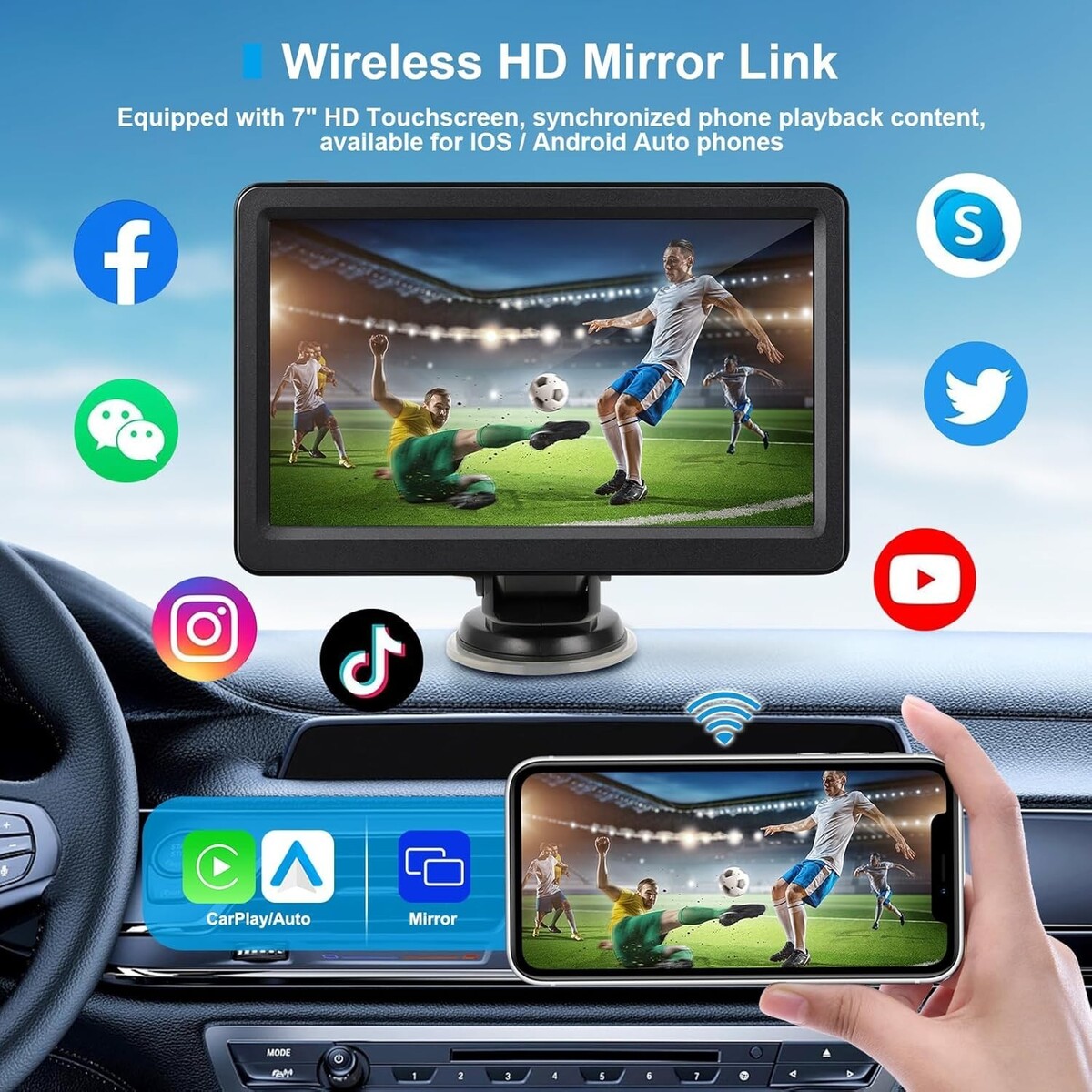
?Wireless Mirror Link?: High-resolution touchscreen provides clear visuals. Portable car player easily mirrors your Android or iOS smartphone content. Easily set up and synchronize content with your phone for a smooth experience
?Easy Installation?: The car play screen comes with a bracket for quick and easy installation on the windshield or dashboard. It can be connected to the cigarette lighter for charging. Suitable for most types of cars, such as trucks, vans, buses, pickup trucks, etc
?You will receive the following items?CarPlay device, mounting bracket, AUX cable, cigarette lighter charger, and user manual
Product Description
? Important Setup Notice for Perfect Audio Experience
To enjoy music and calls through your CAR speakers, a simple one-time setup is required. This device offers multiple output options for flexibility but does NOT switch automatically.
? Step-by-Step Audio Connection Guide (Choose ONE Method)
Method A: AUX Cable (Recommended for Best Sound Quality)
Plug one end of the included AUX cable into the device's AUX port.
Plug the other end into your car's AUX input.
On the device's home screen, go to "Audio Output" and select "AUX Output".Method B: FM Transmitter (Most Universal)
On the device's home screen, go to "Audio Output" and select "FM Output".
Set any open frequency (e.g., 87.5 MHz).
Turn on your car's FM radio and tune it to the exact same frequency.Method C: Bluetooth (For Calls Music when using CarPlay/Android Auto)
Ensure your phone is connected to the device via CarPlay/Android Auto.
On your phone, go to Bluetooth settings and connect to your car's own Bluetooth system (e.g., "My Car BT").
On the device, go to "Audio Output" and select "Bluetooth Output".? Need More Detail?
Please refer to the User Manual (Pages 11-12) for detailed instructions with pictures. A correct setup ensures perfect sound!
? Why This Design?
We provide multiple audio outputs (Built-in Speaker / AUX / FM / Bluetooth) to guarantee compatibility with ANY car, from the oldest to the newest models. This flexibility puts you in control of your audio experience.
|
Why are we showing these items?
Search Results
Category "Car Audio In-Dash Units"
|


-
Refine your browsing experience
We can show you more items that are exactly like the original item, or we can show you items that are similar in spirit. By default we show you a mix.

This item has been added to your cart
 Wireless Carplay Screen for Car, 7" HD Touch Screen Portable Car Stereo added to cart.
Only one available in stock
Wireless Carplay Screen for Car, 7" HD Touch Screen Portable Car Stereo added to cart.
Only one available in stock
View Cart or continue shopping.
 Please wait while we finish adding this item to your cart.


Get an item reminder
We'll email you a link to your item now and follow up with a single reminder (if you'd like one). That's it! No spam, no hassle.
Already have an account?
Log in and add this item to your wish list.


